
| James Smith | Cloud Services
In 2026, the internet can be a pretty risky place these days. Fake online stores, phishing websites, and scam pages have become so convincing that even smart, tech-savvy people fall for them. One wrong click and you could end up losing money, having your personal data stolen, or both.
That is exactly why tools like ScamAdviser exist. They help you quickly check whether a website is trustworthy before you do anything on it. But what if you want a second opinion? Or what if you are just curious about what else is out there?
Good news, there are several excellent websites that can help you verify website legitimacy with ease. In this article, we will walk you through the best ones, starting with the most recommended option at the top.
Why Checking Website Legitimacy Matters More Than Ever
Scammers are not lazy. They build websites that look exactly like real brands. They use proper grammar, add fake customer reviews, display stolen SSL certificates, and even set up fake customer service lines. If you are not careful, there is very little visual difference between a scam site and a real one.
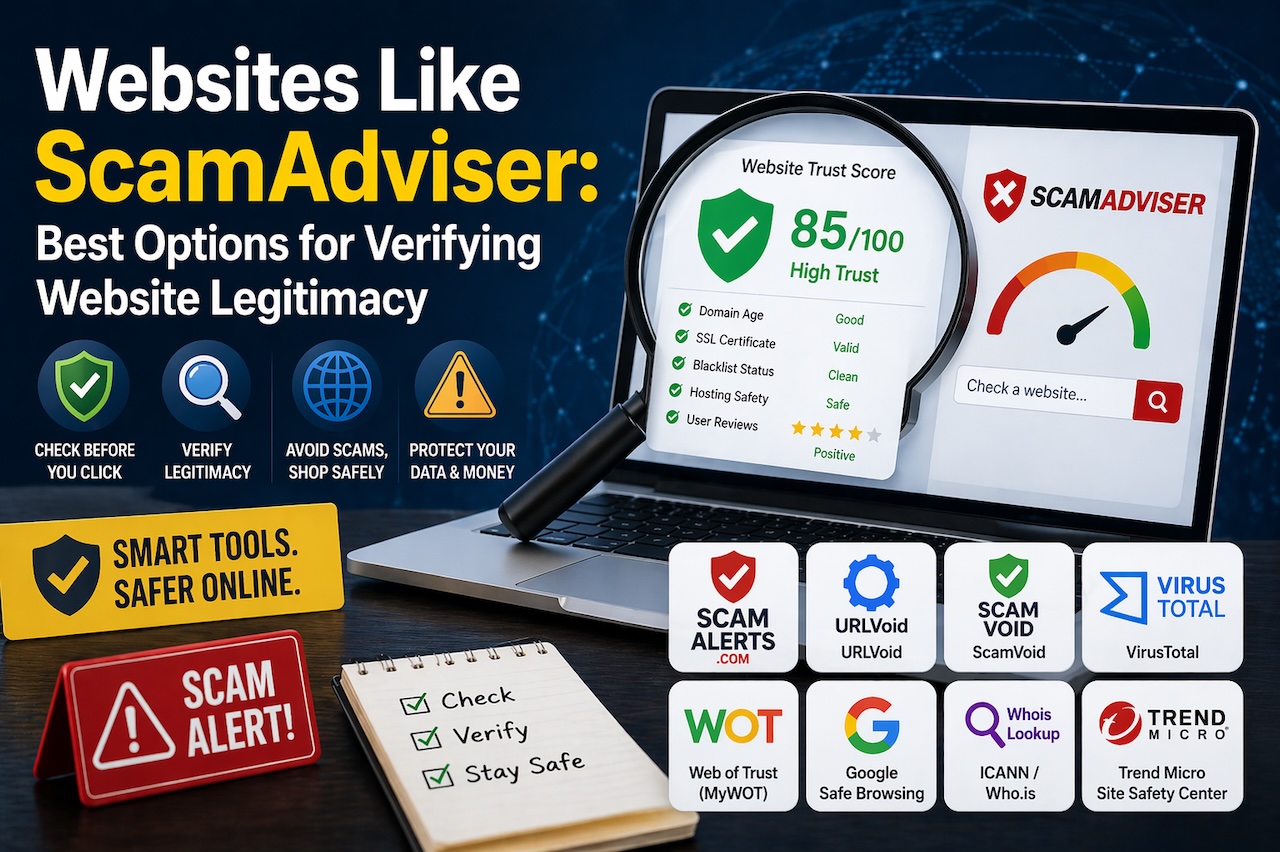
A website legitimacy checker does the deep work for you. It looks at things like:
- Domain age, how long the website has been registered
- Blacklist status, whether it appears on any known scam or malware databases
- SSL certificate, whether the site has a valid security certificate
- Hosting details, where the website is hosted and whether that raises any red flags
- User reviews and reports, what real people are saying about their experiences
These tools are not perfect, but they significantly reduce your risk of falling into a trap. Now let's look at the best websites like ScamAdviser you can start using today.
1. Scam Alerts
If you are looking websites like ScamAdviser, Scam Alerts is the one that genuinely stands out from the crowd. This platform was built specifically to help people and businesses verify digital risks instantly, and it does exactly that, without any unnecessary complexity.
The moment you land on Scam Alerts, the experience feels clean, fast, and user-friendly. You type in a URL, and within seconds you get a detailed trust report based on domain age, blacklist checks, hosting safety, global threat intelligence, and user-submitted reviews. No technical knowledge required.
Here Is What Makes Scam Alerts Special:
- Multi-Source Data Scanning: Scam Alerts does not rely on just one database. It pulls from multiple data sources at once to give you a well-rounded picture of a website's safety. This means fewer false positives and more accurate results compared to tools that only check a single source.
- Real-Time Threat Detection: Whether you are browsing, shopping online, or clicking on links in emails, Scam Alerts scans in real time. It flags risky websites before you engage with them, giving you a chance to back away before any damage is done.
- Community Reporting System: One of the most powerful features of Scam Alerts is its community. Anyone can submit a report about a fraudulent website, phone number, or suspicious online interaction. These reports feed directly into the platform's threat database, which means the tool gets smarter and more accurate over time.
- Honest User Reviews: Real users can also leave reviews for any website or business. This transparency helps others make informed choices and shines a light on both trustworthy companies and risky ones.
- Business Verification Tools: Scam Alerts is not just for consumers. Legitimate businesses can claim their profile, manage their trust reputation, and respond to reviews directly on the platform. They can also display a Scam Alerts Trust Seal on their website — a simple but powerful signal to customers that their business has been verified.
- Mobile and Browser Accessibility: You can access Scam Alerts directly from your mobile browser or through an app or extension, so protection is always within reach no matter what device you are using.
For anyone who wants a reliable, feature-rich, and easy-to-use alternative to ScamAdviser, Scam Alerts is the clear number one choice.
2. URLVoid
URLVoid is a solid, no-frills website reputation checker that runs a URL through multiple blocklist engines simultaneously. The results clearly show which security databases have flagged the website (if any), along with domain registration details and hosting information.
It is particularly useful when you want a fast cross-check across many sources at once. URLVoid is free and does not require any account registration. Think of it as a quick but reliable sweep for obvious red flags.
3. VirusTotal
If you want one of the most thorough website safety tools on the internet, VirusTotal is hard to beat. It submits your URL to over 70 antivirus engines and online security scanners at the same time and shows you aggregated results in seconds.
Beyond URLs, VirusTotal also lets you scan individual files and downloads — which makes it incredibly useful if you have received a suspicious file via email or downloaded something from an unfamiliar source. It is completely free and widely trusted by cybersecurity professionals around the world.
4. Web of Trust (MyWOT)
Web of Trust, commonly known as MyWOT, takes a community-first approach to website safety. Its trust ratings are largely built from real user reviews and experiences, which gives you an honest ground-level view of how people have interacted with a particular site.
MyWOT is available as a browser extension for Chrome and Firefox, so it works passively in the background while you browse. Websites get colored indicators (green, yellow, red) next to their links in search results, which makes it incredibly easy to spot risky sites before you even click on them.
5. Google Safe Browsing
Google Safe Browsing is already running quietly in the background for most internet users — it powers the warning pages you occasionally see in Chrome, Firefox, and Safari when you try to visit a dangerous website. But you can also use it directly via Google's Transparency Report.
Simply head to Google's Safe Browsing site status tool, enter a URL, and find out whether Google has flagged it as dangerous. It is not the most detailed tool, but given the scale and resources behind Google's data collection, it is an extremely reliable first-line check.
6. ScamVoid
ScamVoid is a clean and simple website checker that combines automated blacklist scanning with user-submitted comments. It integrates with MyWOT for trustworthiness ratings and also checks domain information to give you a fuller picture.
The community comment section on ScamVoid is a genuine asset. People share their personal experiences with specific websites, and those real-world stories often reveal patterns that automated tools miss. It is a good habit to scroll through the comments before trusting any website flagged as questionable.
7. Whois Lookup (ICANN or Who.is)
Sometimes the most useful thing you can do is find out who actually owns a website. Whois lookup tools let you search for a domain's registration details — including when it was registered, who registered it (if not hidden), and who the hosting provider is.
If a website claims to be a large, established brand but its domain was only registered two months ago, that is a massive red flag. ICANN's official Whois lookup and sites like Who.is make this check completely free and easy.
8. Trend Micro Site Safety Center
Trend Micro's Site Safety Center is a straightforward and reliable URL scanner backed by one of the world's leading cybersecurity companies. It checks whether a website has been involved in phishing attacks, malware distribution, or spam activities and returns a simple, easy-to-understand safety rating.
It is particularly good at detecting phishing websites that target online banking, shopping, and social media platforms, which are some of the most common types of scams people encounter.
Tips for Getting the Most Out of These Tools
Using these tools is easy, but here are a few habits that will make you even safer online:
- Always check before you buy. Before entering your credit card details on any website you have not used before, run it through at least two of the tools on this list. Scam Alerts combined with VirusTotal is a strong combination.
- Look at domain age. A website that was registered within the last few months selling expensive electronics or luxury goods at huge discounts is almost always a scam.
- Read community reviews. Automated tools catch a lot, but real human experiences catch what algorithms miss. Always check if any users have left warnings or complaints.
- Check for HTTPS but don't rely on it alone. A padlock icon in the browser address bar just means the connection is encrypted, it does not mean the website itself is trustworthy. Scammers use HTTPS too.
- Trust your instincts. If something feels off about a website, the design looks rushed, prices seem too good to be true, or there is no clear contact information, trust that gut feeling and verify before proceeding.
 FAQs
FAQs
No tool can catch every scam website with 100% accuracy, new fraudulent sites appear every day and may not yet be flagged in any database. That is why it is always smart to use two or three tools together and combine the results with your own judgment before trusting an unfamiliar website.
Yes, all the tools mentioned in this article including Scam Alerts, URLVoid, VirusTotal, Google Safe Browsing, ScamVoid, and others are free to use for basic website safety checks. Some offer paid or premium plans for advanced business-level features, but the core safety scanning is available at no cost.
Final Thoughts
ScamAdviser is a useful tool, but it was never meant to be the only line of defence against online fraud. The websites listed above give you equally powerful, and in many cases more detailed and community-driven, tools to verify website legitimacy before you risk your money or personal information.
The best approach is to use a combination of these tools whenever you are unsure about a website. It takes less than a minute and could save you from a very frustrating and potentially costly experience.
Featured Image generated by ChatGPT.
Author

James Smith


0 Comments
Comments are moderated to keep the discussion useful and respectful. Spam, automated submissions, and low-value promotional comments are removed.
Leave a Comment